Lone Worker Application: Safety for Mobile Professionals
- 31/08/2023
- 10:35
reading time : 2 min

Content Marketing Manager
In the field of mobile professionals, the safety and well-being of workers are major concerns. Indeed, they often face isolation. This is where the concept of Lone Worker Protection (LWP) comes into play.
The importance of choosing a suitable LWP application to ensure the safety and well-being of workers cannot be overstated. These tools allow workers to be in constant contact with their team and thus receive immediate assistance when needed.
Tables of Contents

When it comes to ensuring the safety of mobile professionals, Lone Worker Apps (Lone Worker Protection) play a crucial role. These apps are designed to provide protection and peace of mind to workers operating in potentially hazardous or isolated environments. Let’s take a closer look at the key features of these apps, so you can find the perfect software to meet your business needs.
- Real-Time Geolocation
Real-time geolocation allows for the tracking and monitoring of mobile professionals on a live map. This enables the supervisory team to know the whereabouts of workers at all times, which is essential for prompt intervention in case of need.
- Alarms and Emergency Calls
Lone Worker Apps come equipped with alarm and emergency call features to ensure worker safety in dangerous situations. In critical scenarios, workers can trigger an instant alarm or emergency call from the app, immediately alerting either emergency services or the supervisory team responsible for intervention.
- Fall and Immobility Detection Systems
Lone Worker Apps integrate fall and immobility detection systems to identify emergency situations. These features utilize sensors and advanced algorithms to detect falls or prolonged lack of movement. Upon detection, an alert is automatically triggered for swift actions to be taken.
- Messaging and Activity Tracking
Lone Worker Apps offer integrated messaging features to facilitate communication between field workers and the supervisory team. This enables workers to send real-time messages, report issues, or request assistance when needed. Additionally, activity tracking gathers data on tasks performed, working hours, and performance.
- Integration with Other Tools and Systems
Top-notch Lone Worker Apps offer integration with other tools and security systems already in use by your company. This allows for centralized security management and facilitates information sharing across different platforms. For instance, integration with a video surveillance system can enable live viewing of incidents reported by the Lone Worker App.
Criteria for Selecting an Appropriate Lone Worker App
- Analysis of Specific Business and Field Worker Needs
Before choosing a Lone Worker App, it’s essential to conduct a thorough analysis of your company’s needs and those of your mobile professionals. Ask yourself: What are the essential features you require? What risks do your field workers face? Ensure that the Lone Worker App offers the necessary features to address these specific needs.
- Compatibility with Various Mobile Devices and Operating Systems
In a mobile professional environment, compatibility with different mobile devices (smartphones, tablets) and operating systems (iOS, Android) is crucial. Confirm that the Lone Worker App is compatible with the devices and operating systems used by your field workers. This will ensure a smooth user experience and easy adoption of the app.
- User-Friendliness and Integration with Existing Processes
An effective Lone Worker App should be user-friendly, even for non-technical users. Opt for an intuitive and simple interface that allows your field workers to use it easily in the field. Additionally, ensure that the Lone Worker App integrates with your company’s existing processes. For example, with task management systems or employee tracking systems.
- Reliability and Availability of Technical Support
When choosing a Lone Worker App, reliability and availability of technical support are crucial. Make sure that the app provider offers responsive and reliable technical support in case of issues or inquiries. Check the available support channels (email, phone, live chat) and response times to ensure adequate assistance when needed.
- Compliance with Security and Data Privacy Standards
Ensure that the app adheres to the highest security standards to protect sensitive information of your company and field workers. Verify if the app complies with regulations such as GDPR and if it employs data encryption measures for optimal protection.
Nomadia Protect: Your Lone Worker App
Nomadia Protect is much more than just a lone worker app. It’s a comprehensive solution that combines innovative technology with advanced features to cater to the specific needs of mobile professionals. This app offers real-time protection and rapid assistance in case of emergencies or danger for workers.
Here are the key features of Nomadia Protect:
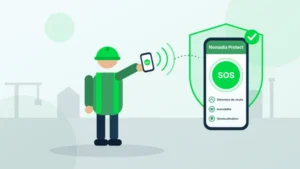
- Emergency Alarm: In critical situations, simply press the emergency button to trigger an alert. The app will immediately send a notification to the security team or emergency services, providing them with precise worker location information.
- Real-Time Geolocation: Thanks to real-time geolocation, the team can track the worker’s live position. This enables swift response in case of assistance needs or precise location information in emergencies.
- Predefined Hazard Zones: Nomadia Protect allows for the definition of specific hazard zones, such as high-risk areas or dangerous sites. The app will automatically alert the employee when entering or leaving these predefined zones. This ensures their safety by reminding them to take necessary precautions.
- Regular Check-In Function: To ensure employee safety throughout the day, the Nomadia Protect app offers a regular check-in function. They can set customized time intervals for check-ins, confirming that everything is okay. In case of a missed check-in, the app will send an alert to verify their status.
- Emergency Assistance: In addition to security features, Nomadia Protect also provides emergency assistance. By pressing the assistance button, employees can directly connect with a 24/7 available assistance center. They can guide them and take necessary actions based on the situation.
Frequently Asked Questions
FAQ – The Most Frequently Asked Questions About Nomadia
Why Choose Nomadia?
As France’s leading publisher of Smart Mobility SaaS solutions, Nomadia supports more than 175,000 field professionals every day. Our solutions are easy to use, quick to deploy, and deliver significant and immediate return on investment.
Drawing on the expertise of both a software publisher-integrator and a consulting firm, Nomadia’s teams provide tailored support, from data consulting to the deployment of mobile devices. Finally, our technical support team is available 24/7 to assist you.
Who Are Nomadia Solutions Designed For?
Nomadia solutions support the digital transformation of all mobile professionals: field sales representatives, delivery drivers, technicians, auditors, healthcare workers, inspectors, service providers, security patrol officers, experts, and more.
Whether for SMEs or large enterprises, our solutions adapt to businesses of all sizes and across all industries.
How Much Does It Cost?
Nomadia Delivery offers transparent and flexible pricing, which primarily depends on the number of users (for example, planners and dispatchers) rather than a fixed cost per parcel.
Thanks to this model, you can control your delivery costs based on the number of resources (users) involved in route management, providing great flexibility to adjust your subscription according to the size of your fleet and your operational needs.
Is It Compatible with My Current ERP System?
Yes! Nomadia Delivery has been designed to integrate quickly and easily into your existing environment thanks to our powerful and secure APIs. Our solution is compatible with most ERP systems on the market. API integration enables the automatic synchronization of your transport orders, customer orders, and customer information, ensuring smooth and error-free delivery tracking. The solution also offers user-friendly import capabilities with data validation controls, as well as export options in multiple customizable formats.
Is It Suitable for Our Delivery Volume?
Yes, Nomadia Delivery is ideal for companies that manage a high volume of deliveries and want to optimize their routes, create balanced territories for their drivers, and ensure precise tracking of every parcel. Nomadia Delivery adapts to fleets of all sizes!
Can Multiple Warehouses or Depots Be Managed?
Yes, our solution allows you to manage multiple warehouses or depots. It centralizes data and optimizes routes or service operations for each of them.
Is There a Limit to the Number of Stops in Route Optimizations?
No, there is no strict limit to the number of stops in route optimizations. Our solution can handle large volumes of stops and quickly calculate optimized routes.
Project, request for a demonstration or a free trial?