


Top 10 Service Scheduling Software Solutions: service scheduling
Discover the leading solutions for optimizing your field team management.

Field service management software designed to optimize mobile team management with intelligent planning and real-time tracking.
Features
- Automatic operation planning, based on distance, time windows, and duration
- Comprehensive customer relationship management, including tasks, opportunities, and calendars
- Technician assignment based on availability, skills, and location
- Multi-warehouse inventory tracking with stock alerts
- Service contract management and integrated invoicing
Key strengths
- Highly flexible configuration
- Zapier integration with more than 2,000 applications
- Available in 23 languages
Online scheduling software dedicated to operation management and tracking, specifically designed for maintenance companies and property portfolio managers.
Features
- Simplification of administrative tasks
- Centralization of data between all stakeholders
- Detailed tracking with reports, photos, and signatures
- Complete traceability of maintenance work
Key strengths
- Centralized tracking and invoicing, reducing unnecessary data entry
- Improved communication between all parties, with an intuitive mobile version
Comprehensive solution for field teams combining operational optimization, efficient scheduling, and sales performance.
Features
- Automation of quotations, invoices, and credit notes
- Creation of charts, histograms, and scatter plots
- Progress status management and payment tracking
- Detailed product and service management, including customer-specific pricing
- Historical operation tracking by contact
Key strengths
- Convenience, reliability, and efficiency in service allocation
- In-depth customer information management

Web and mobile tool for digitizing maintenance, inspections, and mobile operations, simplifying processes for field and office teams.
Features
- Interactive and collaborative digital form design studio
- Optimized assignment planning and real-time tracking
- Activity management and analysis of collected data
- Integration with existing IT systems
Key strengths
- Simple creation of paperless content
- A single interface for varied needs

SaaS CMMS software designed to centralize and automate technical operation management, accessible from anywhere without complex installation.
Features
- Creation and tracking of corrective and preventive operation tickets
- Scheduling with automatic reminders and detailed reporting
- Equipment and inventory management
- Customizable reports with electronic signatures
- Dedicated interface for external service providers
Key strengths
- Intuitive and flexible interface, suited to retail and technical services
- Reduces response times and optimizes resources

SaaS CMMS software to optimize maintenance operations with operation planning, tracking, and analysis across various industries.
Features
- Real-time tracking and centralized requests
- Scheduling of automated maintenance tasks
- Spare parts tracking and replenishment
- Access to technician information, even offline
- Generation of reports, certificates, and audits
Key strengths
- Rich feature set and excellent user experience
- Suited to industry, construction, and public services
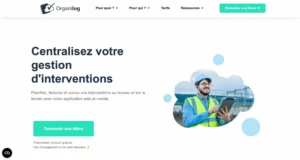
SaaS and mobile field service management software to optimize field operations, centralize information and improve productivity.
Features
- Planning, real-time tracking, and report generation
- Fast creation and conversion of business documents
- Optimized schedule organization
- Inventory and purchasing tracking
- Photos and electronic signatures in the field
Key strengths
- Intuitive interface, responsive support, and regular updates
- Highly flexible adaptation to business needs

Solution to digitize field data collection and automate business processes by replacing paper forms with interactive digital versions.
Features
- Advanced customization, including text, checkboxes, signatures, photos, and drawings
- Data entry while on the move, even offline
- Instant generation and sending of customized reports
- Connection to existing business tools
- Access management and protection of sensitive information
Key strengths
- Ease of use and adaptability to various industries
- Accelerates information sharing and improves decision-making
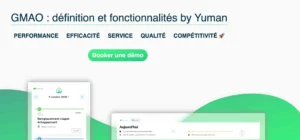
SaaS and mobile service scheduling software to optimize maintenance operation management and improve communication between teams.
Features
- Real-time organization of corrective and preventive operations
- Centralization and instant sharing between managers and technicians
- Immediate generation of post-operation quotations and invoices
- GPS navigation, photo capture, and operation reports
Key strengths
- Ease of use and efficiency in assignment organization
- Reduces the administrative workload and optimizes equipment maintenance
Criteria for choosing the right software
Choosing scheduling software depends on several essential factors to ensure smooth and effective management.
Ease of use and user experience
An intuitive interface accessible to all user profiles, available on desktop and mobile, with navigation adapted to touchscreens.
Planning and real-time tracking
Interactive calendar, live operation status updates, and a notification system for changes or emergencies.
Task automation
Automatic creation of work orders, sending of reminders, and report generation to reduce administrative tasks.
Resource and inventory management
Inventory management module to check availability, anticipate replenishment, and track parts usage.
Compatibility with your tools
Integration with your CRM, ERP, and accounting solutions through an open API or third-party connectors to avoid duplicate data entry.
Technical support and updates
Responsive multichannel support and scalable software with regular updates to adapt to industry changes.
6 tips to increase efficiency
Using software is not limited to installing it. Adopt these best practices to get the most out of it.
Configure it correctly from the start
Configure the settings according to your specific needs:
- User profiles with role-based access
- Operation types and processing protocols
- Integration of customer and equipment databases
Train teams to use it
A training plan ensures rapid adoption:
- Onboarding sessions for managers and technicians
- Interactive guides and tutorials
- Support during the first few weeks
Centralize all information
Make the software the center of your management:
- Customer data and operation histories
- Technician schedules and availability
- Inventory and equipment required for assignments
Use the mobile features
The mobile application is a key asset in the field:
- Work orders received in real time
- Reports with photos and electronic signatures
- Access to customer histories and information
Analyze data and optimize
Use dashboards to improve performance:
- Key KPIs, including average time and first-time fix rate
- Identification of activity peaks
- Evaluation of post-operation customer satisfaction
Adapt the tool to changing needs
Periodically reassess how the software is used:
- New features based on user feedback
- Integration of new tools over time
- Regular technology monitoring