

Tour Optimization with Excel & Free: The Guide

reading time : 2 min

Picture of Lucie Monnot
Lucie Monnot

Content Marketing Manager

Tour optimization is a major challenge for many businesses and organizations that need to efficiently manage their field delivery or service operations. Optimized tour planning can help reduce costs, enhance efficiency, and optimize the use of available resources.

In this guide, we will introduce you to a practical and cost-effective solution for tour optimization: using Excel. Excel is a widely used tool in the field of management and planning, offering numerous powerful features for tour creation and optimization.

Tables of Contents

Livraison collaborative le guide 2025 – Innovation transport

What is Route Optimization?

Route optimization, also known as tour planning or optimal routing, is a process aimed at determining the best sequence of travel for a given set of destinations. The main goal of route optimization is to reduce costs, optimize resource utilization, and improve the efficiency of delivery, service, or field intervention operations.

In practical terms, route optimization involves organizing the stops or steps of a tour in a way that minimizes distance traveled, travel time, and associated costs while adhering to specific constraints and requirements. These constraints may include delivery deadlines, time windows, loading capacities, priorities, or specific customer preferences. The outcome is an optimized itinerary that allows tasks to be accomplished efficiently and cost-effectively.

And it’s possible to achieve route optimization using Excel, and for free! But why use Excel?

Why Use Excel for Route Optimization?

Excel is widely used for route optimization due to its powerful features and user-friendliness.

Excel offers great flexibility for modeling and solving route optimization problems. You can create custom spreadsheets using formulas and functions to address your business’s specific needs. This allows you to easily customize and adjust optimization models based on your business’s constraints and objectives.

Excel is commonly used in many organizations, meaning most people are familiar with its interface and basic features. No need to learn a new complex tool. Moreover, it’s available on most computers and is often included in the Office suite, making it an easily accessible option for many businesses.

Excel offers built-in features like Solver and analysis tools that can be used to solve route optimization problems. Analysis tools such as pivot tables, charts, and statistical functions can also be used to analyze data and make informed decisions.

Route optimization often involves handling and analyzing large amounts of data (customer addresses, schedules, distances). Excel allows efficient data management using sorting, filtering, and search functions. Additionally, Excel makes it easy to import and export data from other sources, facilitating integration with other management systems.

Compared to more advanced optimization tools, Excel provides a cost-effective solution for route optimization. Since many businesses already have Excel installed on their computers, there’s no additional cost associated with acquiring a new tool.

gain d'argent grâce à l'optimisation tournée avec excel gratuit

Steps for Route Optimization with Excel and for Free!

As you’ve understood, route optimization is essential for saving time and resources when dealing with multiple stops or deliveries. Here are the steps to perform route optimization using Excel and for free!

  • Data Collection: Start by gathering the necessary information for your tour planning, such as addresses of places to visit, availability schedules, distances between points, and any other specific constraints or criteria.
  • Data Preparation in Excel: Create an Excel spreadsheet and organize your data into separate columns. Assign each piece of information to a specific cell. For instance, you can have a column for addresses, another for schedules, and another for distances.
  • Distance Calculation: Use a suitable Excel formula or function to calculate the distances between different addresses. You can employ online mapping services to obtain this information and then input it into your spreadsheet.
  • Defining Constraints: If you have specific constraints, such as opening hours or time windows for visits, add this information to your spreadsheet. You can use Excel formulas to define these constraints and integrate them into the subsequent route optimization process.
  • Using the Optimization Algorithm: Excel offers features to find optimal solutions for routing problems. Use functions like searching for the best combination, scheduling, or finding the shortest path to optimize your route based on the specific criteria you’ve set.
  • Visualization of Results: Once you’ve performed route optimization, you can visually represent the results using graphs or maps. This will allow you to visualize the optimal order of your stops and verify if the constraints are met.

Route Optimization with Excel and for Free: Our Tips

While specialized software exists for this task, you can start optimizing your routes with Excel. Here are some tips to help you get started:

  • Formula Usage: Excel provides powerful calculation features. Utilize formulas to calculate distances between points, travel durations, fuel costs, or any other relevant metric for your business. You can also use lookup functions to sort addresses based on geographical proximity.
  • Tour Optimization: Use formulas and functions to develop a route optimization algorithm. For example, you can use the nearest neighbor search to determine the best visiting order of addresses or dynamic programming to find the optimal tour sequence.
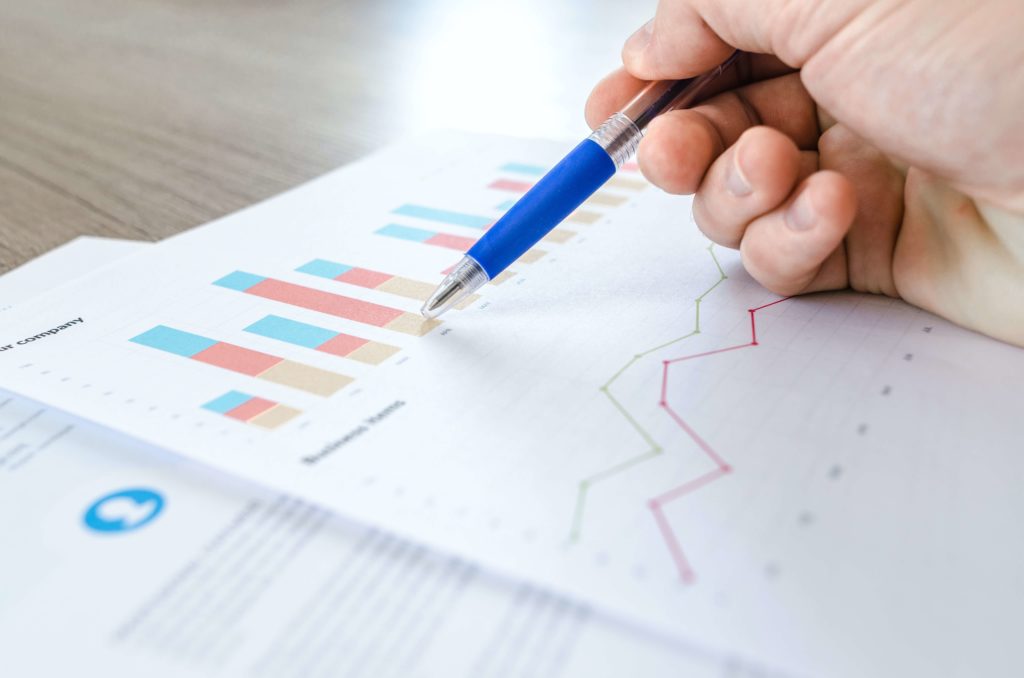
  • Results Visualization: Use charts or dashboards to visualize the results of your optimized tours. This will help you better understand the performance of your planning and identify areas for improvement.
Rapport d'optimisation de tournée par Excel et gratuit

  • Regular Reassessment: Tour planning is a dynamic process. Regularly reassess and update your data to account for changes in addresses, schedules, or capacity constraints. Rerun your optimization algorithm to adjust your tours accordingly.
  • Experimentation and Adjustments: Don’t hesitate to experiment with different approaches and adjust your formulas and algorithms based on your specific needs. Find the parameters that work best for your business and continue refining them over time.


Can Excel Suffice for Tour Planning?

For a small business or relatively simple tour planning, Excel can be an affordable and user-friendly option. However, it’s important to note that tour planning can become complex as the number of clients, resources, and constraints increases. In such cases, Excel’s capabilities and automation might become limited.

Tour planning often involves constraints such as driver availability hours, travel times, delivery windows, customer priorities, and more. Effectively managing all these constraints using only Excel can be challenging.

Tour planning can be optimized to minimize distances traveled, reduce travel times, and maximize resource utilization. Excel lacks advanced built-in tour optimization algorithms, meaning optimization would need to be done manually.

Excel can become cumbersome and hard to visualize as data becomes complex. Managing different spreadsheets and multiple columns can become tedious. Moreover, sharing planning information with drivers or other team members can be more complicated with Excel.

To overcome these limitations, it might be wise to consider using dedicated tour planning software. These software solutions offer features specifically designed for tour planning, such as automatic optimization, constraint management, graphical visualization of routes, and easy information sharing with team members.

Nomadia provides a solution to optimize your tours and enhance your employees’ work!

I’m discovering TourSolver.

Frequently Asked Questions

FAQ – The Most Frequently Asked Questions About Nomadia

Why Choose Nomadia?

As France’s leading publisher of Smart Mobility SaaS solutions, Nomadia supports more than 175,000 field professionals every day. Our solutions are easy to use, quick to deploy, and deliver significant and immediate return on investment.

Drawing on the expertise of both a software publisher-integrator and a consulting firm, Nomadia’s teams provide tailored support, from data consulting to the deployment of mobile devices. Finally, our technical support team is available 24/7 to assist you.

Who Are Nomadia Solutions Designed For?

Nomadia solutions support the digital transformation of all mobile professionals: field sales representatives, delivery drivers, technicians, auditors, healthcare workers, inspectors, service providers, security patrol officers, experts, and more.

Whether for SMEs or large enterprises, our solutions adapt to businesses of all sizes and across all industries.

How Much Does It Cost?

Nomadia Delivery offers transparent and flexible pricing, which primarily depends on the number of users (for example, planners and dispatchers) rather than a fixed cost per parcel.

Thanks to this model, you can control your delivery costs based on the number of resources (users) involved in route management, providing great flexibility to adjust your subscription according to the size of your fleet and your operational needs.

Is It Compatible with My Current ERP System?

Yes! Nomadia Delivery has been designed to integrate quickly and easily into your existing environment thanks to our powerful and secure APIs. Our solution is compatible with most ERP systems on the market. API integration enables the automatic synchronization of your transport orders, customer orders, and customer information, ensuring smooth and error-free delivery tracking. The solution also offers user-friendly import capabilities with data validation controls, as well as export options in multiple customizable formats.

Is It Suitable for Our Delivery Volume?

Yes, Nomadia Delivery is ideal for companies that manage a high volume of deliveries and want to optimize their routes, create balanced territories for their drivers, and ensure precise tracking of every parcel. Nomadia Delivery adapts to fleets of all sizes!

Can Multiple Warehouses or Depots Be Managed?

Yes, our solution allows you to manage multiple warehouses or depots. It centralizes data and optimizes routes or service operations for each of them.

Is There a Limit to the Number of Stops in Route Optimizations?

No, there is no strict limit to the number of stops in route optimizations. Our solution can handle large volumes of stops and quickly calculate optimized routes.

         Project, request for a demonstration or a free trial?

Et si vos clients étaient, eux aussi,
otages des créneaux d’intervention ?

Notre étude OpinionWay, révèle l’ampleur du problème.
Parlons de vos enjeux

pour

Les français, otages des créneaux d’intervention

Etude exclusive OpinionWay x Nomadia

pour
nomadia logo

Geoconcept becomes Nomadia

Geoconcept brands are officially
evolving into Nomadia

nomadia logo

TourSolver becomes
Nomadia TourSolver